

Endpoint Manager has a small number of failure modes because its surface area is narrow — it’s a delegated-admin layer on top of Cisco ISE’s APIs. This page walks the symptoms you’re most likely to see and the ISE-side or platform-side check that usually resolves them.Documentation Index
Fetch the complete documentation index at: https://wiki.netgraph-connect.com/llms.txt
Use this file to discover all available pages before exploring further.
Cisco ISE API Gateway connectivity troubleshooting
This guide is for verifying that your Cisco ISE API Gateway is reachable from inside your network, from outside your firewall, and from the platform itself. Walk through the three steps below before contacting support — most integration issues are surfaced at one of these layers.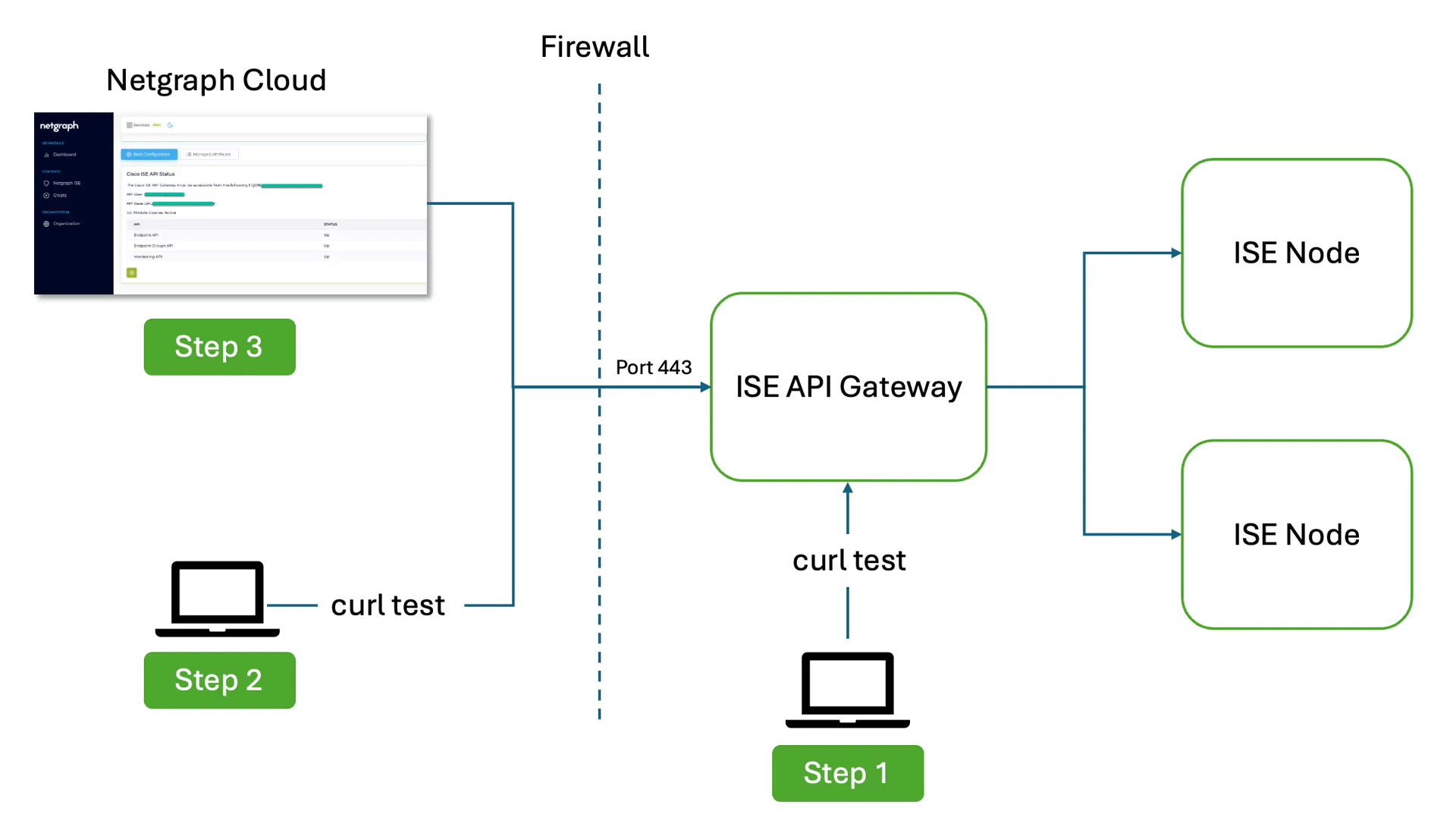
- Step 1 — test internal connectivity to the ISE API
Gateway with
curl. - Step 2 — test external connectivity to the ISE API
Gateway with
curl. - Step 3 — confirm that the platform can reach the ISE API Gateway.
Step 1 — test internal connectivity
From a host inside your network, issue acurl call to the
ISE API Gateway on port 443. The three calls below each
target a different API family. Substitute ISE_HOST,
API_USER_NAME and API_USER_PASSWORD with your own values.
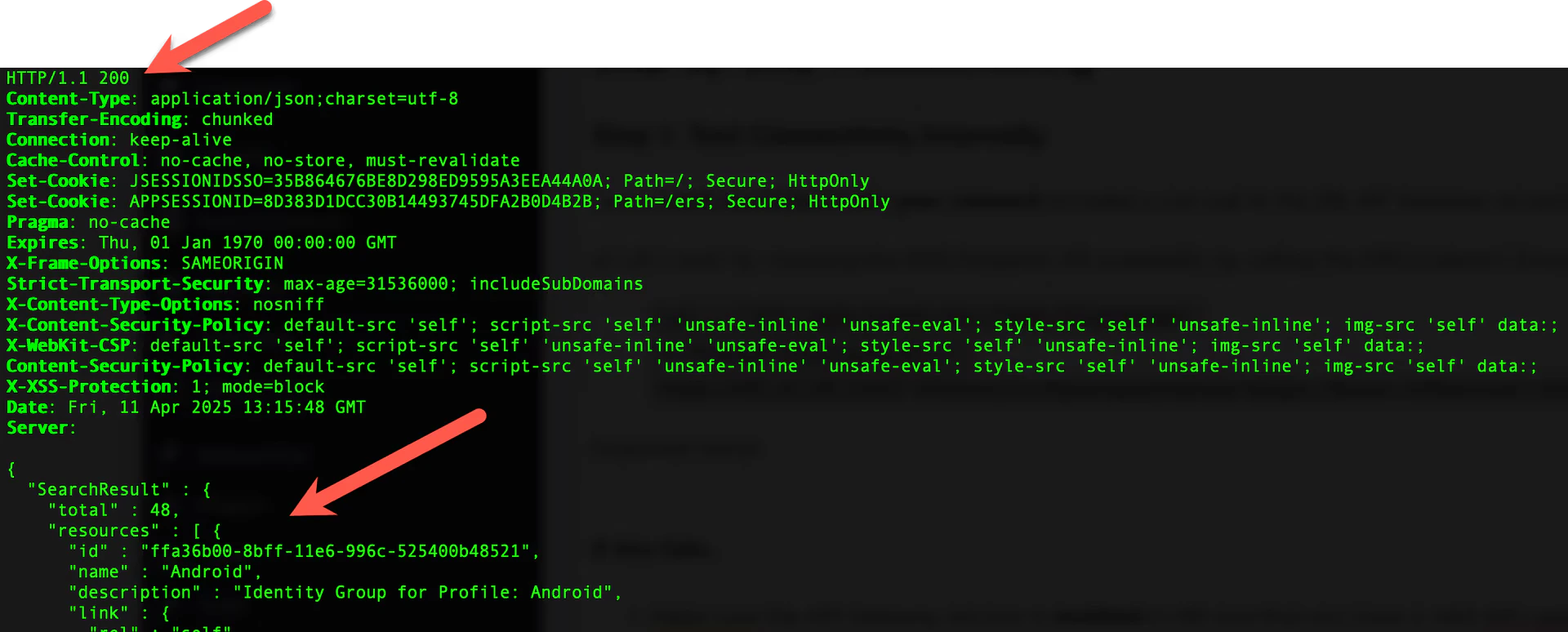
A1) ERS Endpoint API — list endpoint groups
Verify the ERS Endpoint API by querying the Endpoint Groups resource:HTTP/1.1 200- A JSON body beginning with
{"SearchResult": …}and listing endpoint groups underresources.
A2) ERS Endpoint API — query endpoints
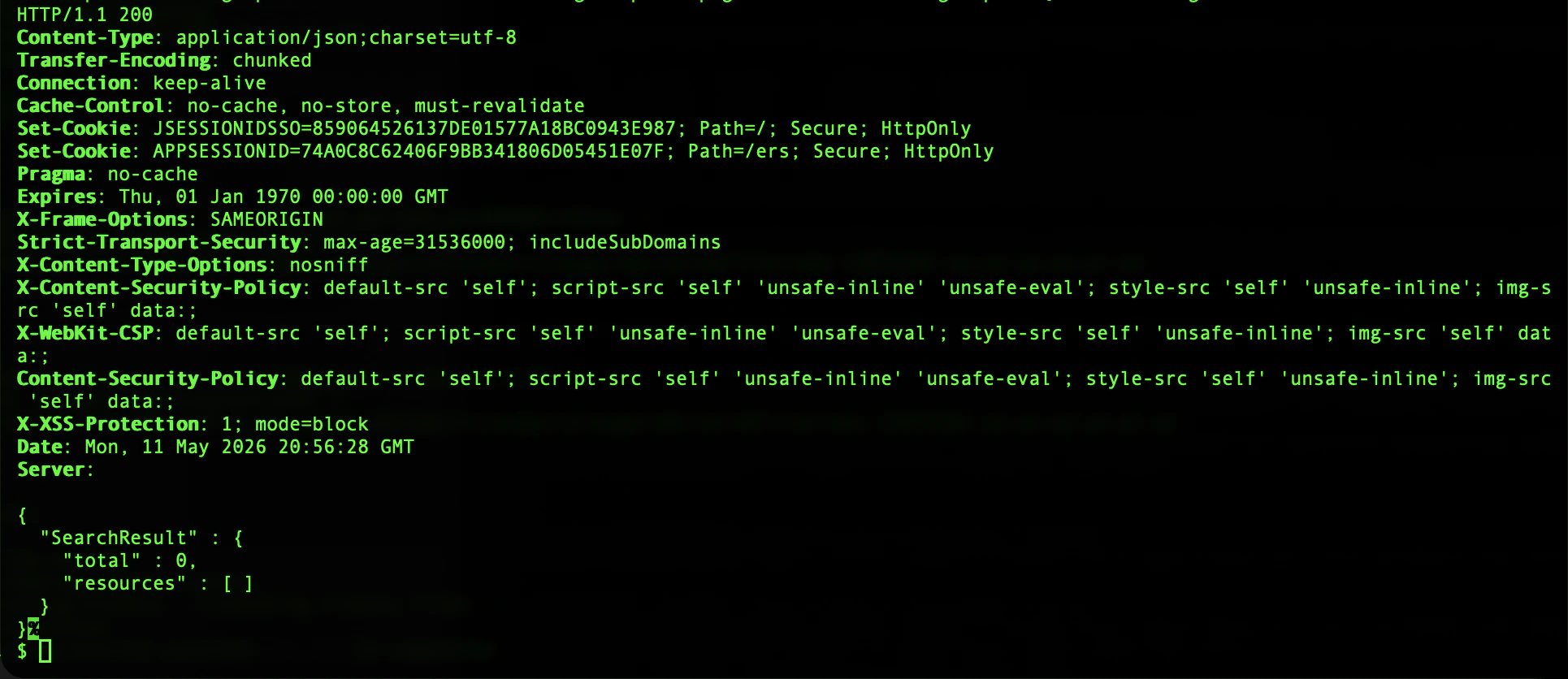
Verify the ERS Endpoint API’s endpoint resource by querying for endpoints whose group ID does not exist. The call exercises the filter path and confirms that an empty result is returned cleanly:-
HTTP/1.1 200 -
A JSON body with an empty
SearchResult:
B) Open API
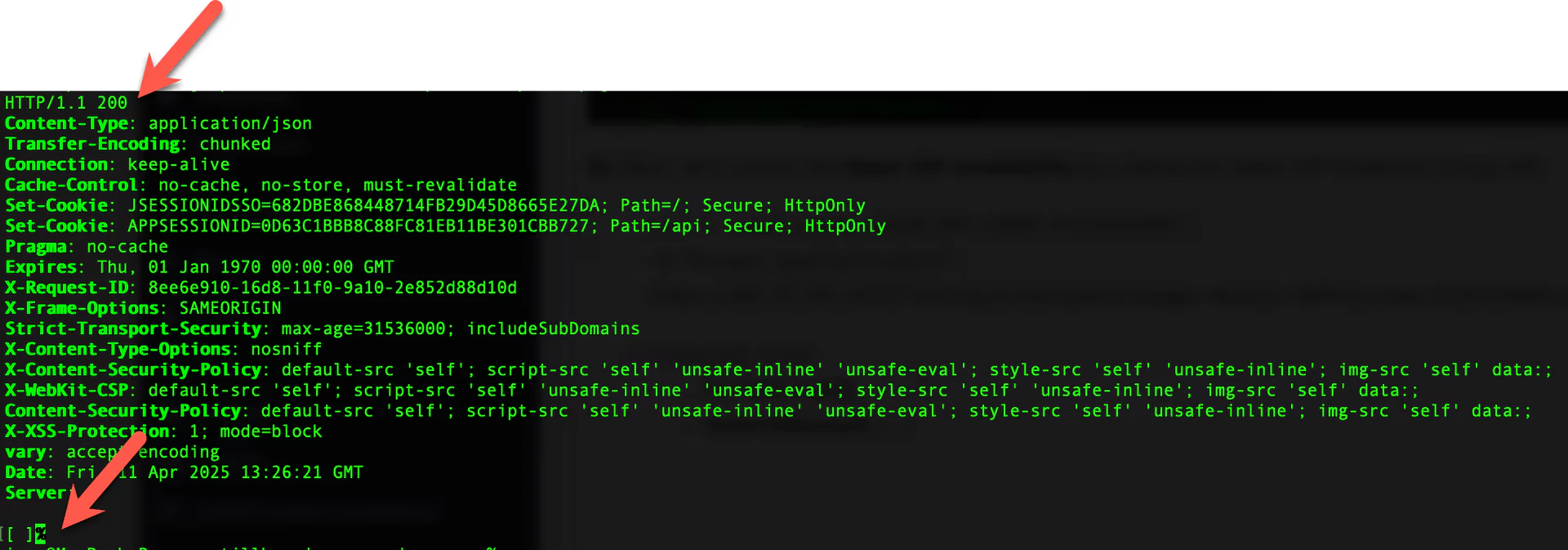
Verify the Open API by querying the Endpoint resource:HTTP/1.1 200- A JSON array body. An empty
[]is acceptable — the placeholder MAC in the filter does not match any real endpoint.
C) Monitoring API
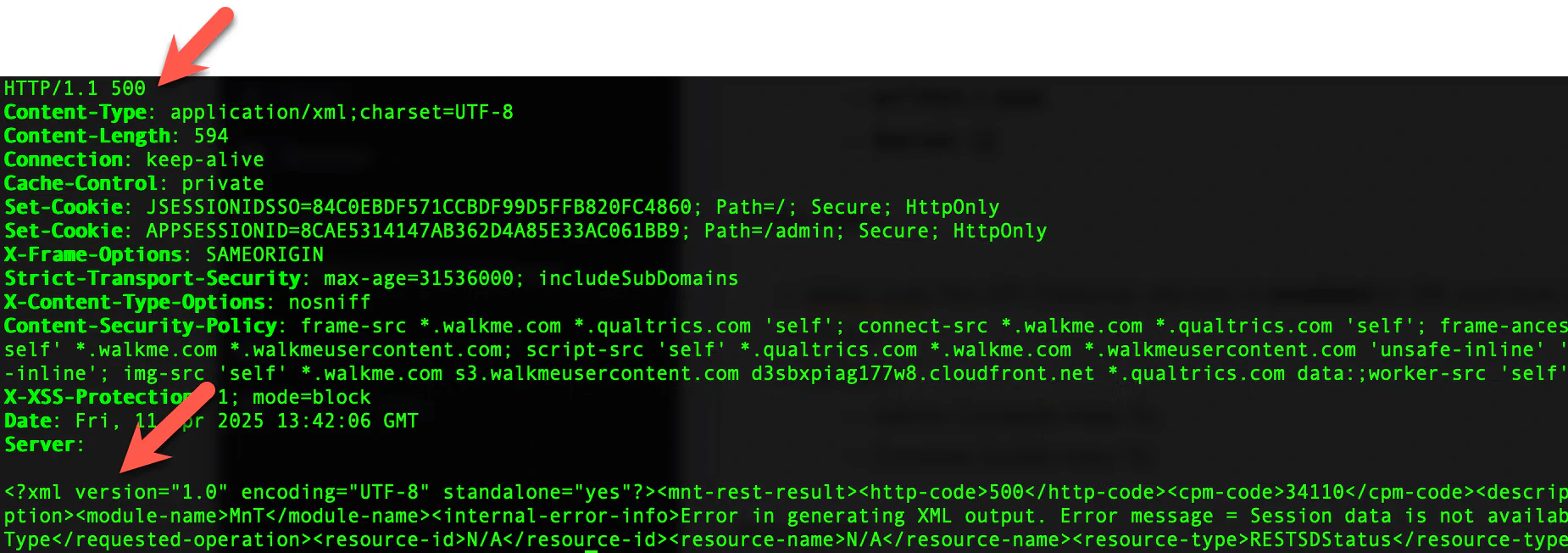
Verify the Monitoring (MnT) API by querying a session by MAC address:This call requires
-H "Accept: application/xml".HTTP/1.1 500- An XML body beginning with
<?xml version="1.0" …?>
HTTP/1.1 500 is the expected response here: the placeholder
MAC in the URL does not match any active session, so the API
returns a “no session” error. The response itself confirms that
the Monitoring API is reachable and that authentication
succeeded.
Summary — internal connectivity
If all three calls returned the expected response, continue with Step 2. If one or more calls returned an unexpected response, interpret it as follows:HTTP/1.1 302— the requested API is not enabled on the Cisco ISE API Gateway. In Cisco ISE, confirm that ERS and Open API are enabled under Administration → System → Settings.HTTP/1.1 403— the API user is not configured correctly. See API user troubleshooting.HTTP/1.1 404— if all three APIs are enabled and started in ISE, the most likely cause is a routing problem in a proxy or firewall in front of ISE. Verify the network path.HTTP/1.1 500on a call that is expected to return200— Cisco ISE itself is reporting an internal error. Typical causes include insufficient resources on the ISE node (CPU, memory, database) or other ISE-side internal problems. Review the ISE node’s system logs and resource usage to identify the underlying cause. (Note:HTTP/1.1 500is the expected response for the Monitoring API call in C) Monitoring API and does not indicate an issue.)
Step 2 — test external connectivity
From a host outside your firewall, repeat the three calls (A, B and C) from Step 1. The expected responses are identical.Summary — external connectivity
If all three calls returned the expected response, continue with Step 3. If one or more calls returned an unexpected response and the same call succeeded in Step 1, the firewall or proxy in front of Cisco ISE is the suspect. The interpretation is the same for each of the following response codes:HTTP/1.1 302— the firewall or proxy is blocking or rewriting the request. Verify the inbound rules.HTTP/1.1 403— the firewall or proxy is blocking or rewriting the request. Verify the inbound rules.HTTP/1.1 404— the firewall or proxy is blocking or rewriting the request. Verify the inbound rules.
Step 3 — confirm access from the platform
The final step is verifying that the platform’s egress can reach the Cisco ISE API Gateway. The platform’s outbound FQDN is shown on the API Configuration card in the Endpoint Manager Context — allow it on every firewall, proxy and ACL that sits in front of ISE. After updating the firewall rules, click Update API Configuration in the Endpoint Manager Context. The platform re-exercises every API family and refreshes the Cisco ISE API Status table. The expected result is every row reading Up.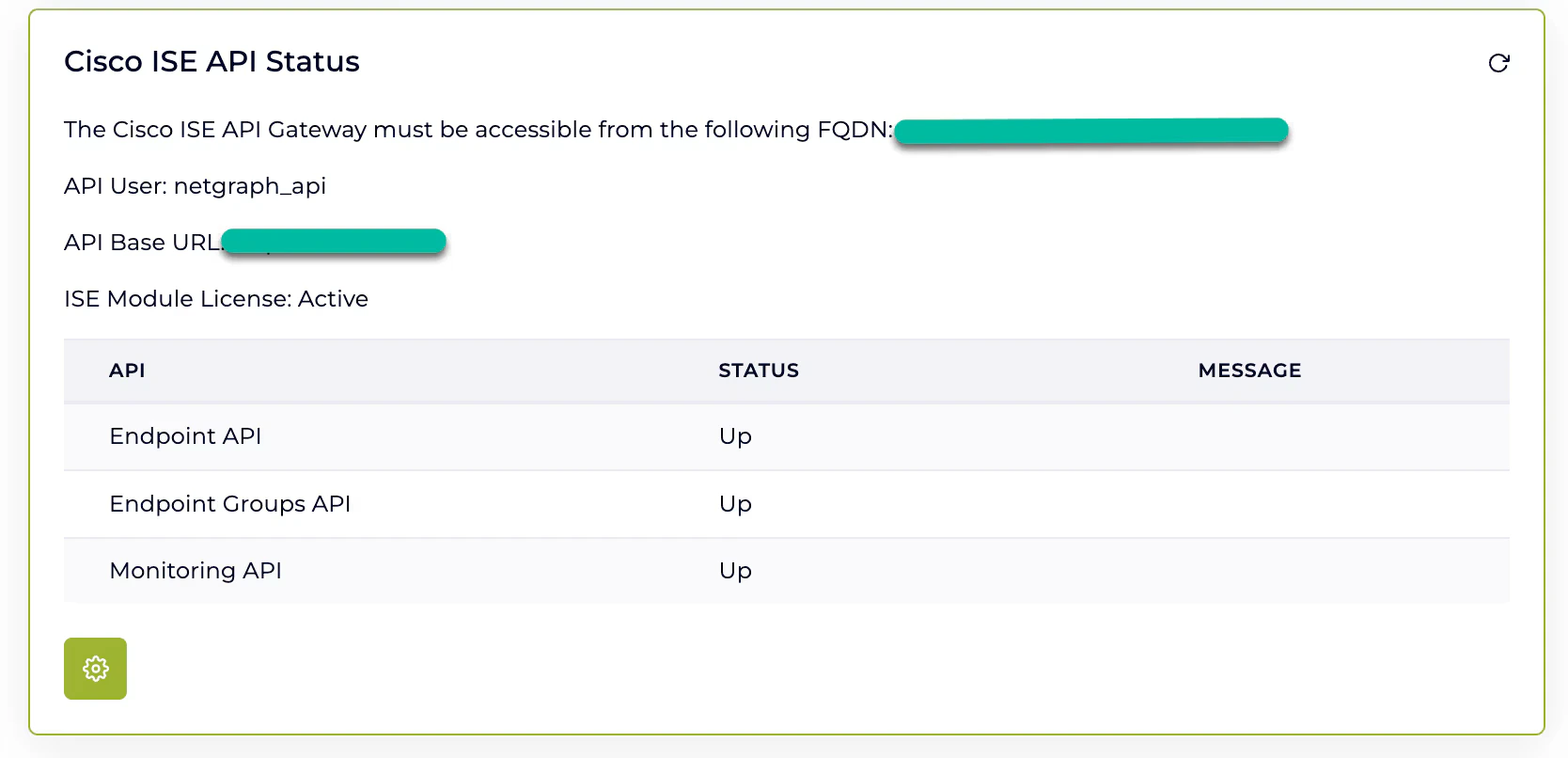
Summary — platform connectivity
If the Cisco ISE API Status table reads Up across the board, connectivity is verified end-to-end. If one or more rows still read Down and the same calls succeeded in Step 2, the firewall or proxy accepts your test host but is not yet accepting the platform’s outbound FQDN. The interpretation is the same regardless of the response code:HTTP/1.1 302,HTTP/1.1 403orHTTP/1.1 404— the firewall or proxy in front of ISE is not accepting requests from the platform’s egress. Verify that the rules accept the FQDN shown on the API Configuration card.
API user troubleshooting
When connectivity to Cisco ISE is verified but the API still returns errors, the cause is often the API user account itself rather than the API. The user may have been disabled, locked or suspended through policy settings or repeated failed sign-in attempts.HTTP/1.1 401 and HTTP/1.1 403 responses on
otherwise-reachable endpoints are the most common signs.
This section covers how to identify and resolve account-level
issues on the Cisco ISE side.
Disabled admin user
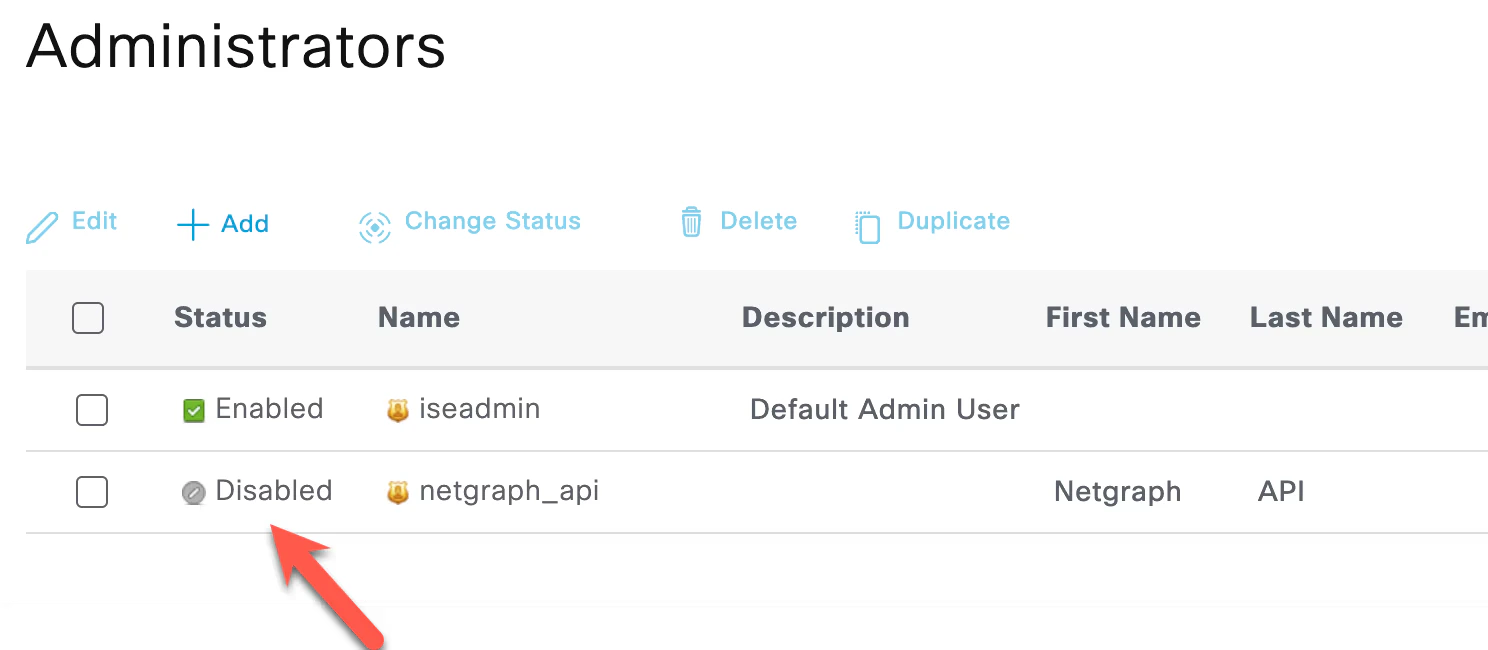
If the API user has been disabled, authentication attempts fail silently. The account can be disabled automatically by the Account Disable Policy or manually by an administrator. What to check:-
User status. Navigate to Administration → System → Admin
Access → Administrators and confirm that the API user is
enabled. A disabled account is clearly marked in the Status
column.
- Account Disable Policy. Navigate to Administration → System → Admin Access → Authentication and review the Account Disable Policy section. Confirm whether Disable account after N days of inactivity is enabled and adjust the threshold if the policy has been disabling the API user automatically.
- Re-enable the user if it has been disabled.
- Adjust the Account Disable Policy if it is the underlying cause.
Suspended or locked admin user
An account can become suspended or locked after repeated failed sign-in attempts — for example, when an integration is configured with the wrong credentials and retries continuously. What to check:- Login lockout settings. Navigate to Administration → System → Admin Access → Authentication and review the Login Failure Settings section. Confirm whether Suspend or Lock Account with Incorrect Login Attempts is enabled, and note the failure threshold and lockout duration.
-
Login audit log. Navigate to Operations → Reports →
Audit → Administrator Logins and filter by the API user’s
username. Failed authentication entries typically read:
Authentication for web services failed Login failed – bad credentials
- Disable the user.
- Enable the user again.
Validate with the Cisco ISE admin GUI
To isolate whether the issue is the API user account or the API surface itself, sign in to the Cisco ISE admin GUI using the same credentials.- If the GUI also rejects the credentials, the cause is the user account. Resolve it in Cisco ISE first, then return to the platform and click Update API Configuration to re-exercise the credentials.
- If the GUI accepts the credentials but the API still rejects them, the user is missing the API role permissions required by ERS, Open API or MnT. Review the role assignment under Administration → System → Admin Access → Administrators.
Related
Prepare Cisco ISE
Enable the three API families and mint the API user on Cisco ISE.
Managing endpoints
CRUD and Change of Authorization.
Managed Attributes
Context-level definition, group-level values.
Audit Log
Every operation recorded, with timestamps.